
As with all servers there are a few limitiations. These are detailed below.
License File Features
Within each products license file, a parameter denoting which product the license is for otherwise called the license FEATURE (shown below). For each license server only one license per FEATURE is allowed.
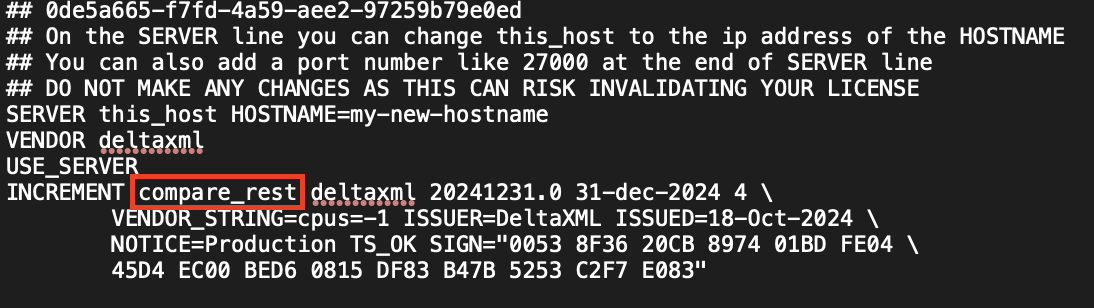
REST Server Switching License Servers
It is not possible whilst a REST server is running to change which license server it gets its licenses from. The only way to change which license server a REST server is connected to is by shutting down the REST server using the /shutdown end point or Ctrl + C where the server is running and then proceeding to start the REST server using the license associated with the new license server.
Fallback On License Server Failure
With our regular concurrent operation license, should a license server for any reason fail/crash its not possible to designate a secondary license server to fallback to, to continue operating as normal. However we do offer a Redundant Server License which allows for a secondary server to replace primary server in its unavailability. More information on this license can be found here.