
The examples included here show the results of comparing tables with DeltaXML's XML Compare for two-way changes and DeltaXML's XML Merge for three-way changes. The same table processing is used for DeltaXML's other 'Compare' and 'Merge' products.
Samples of CALS tables for XML Compare
Samples are available in a Bitbucket repo for comparing these examples as CALS tables in XML Compare. See https://bitbucket.org/deltaxml/cals-tables .
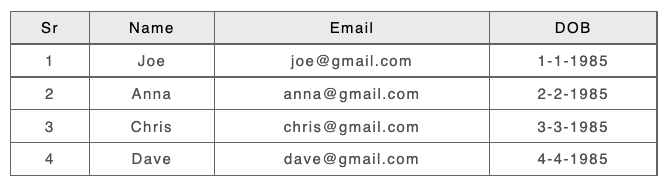
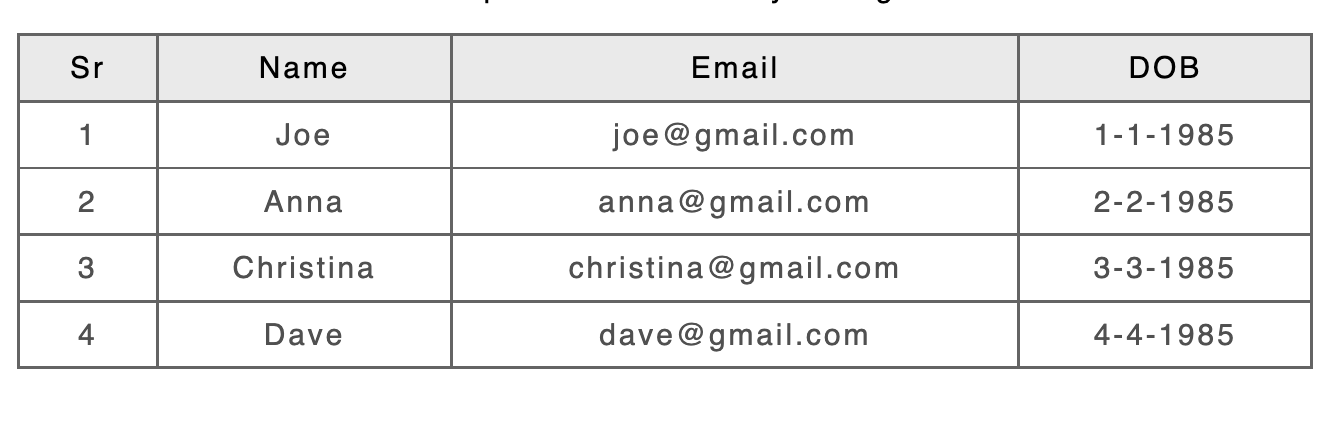
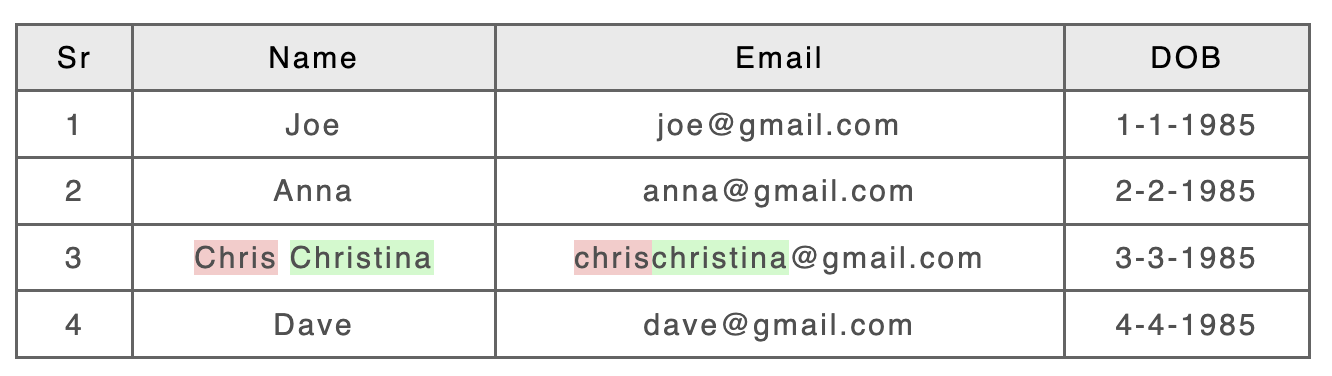
Example 1: Content only changed
|
Input A: |
Input B: |
|---|---|
|
|
|
Result - CALS/HTML table Processing Enabled |
|
|
|
|
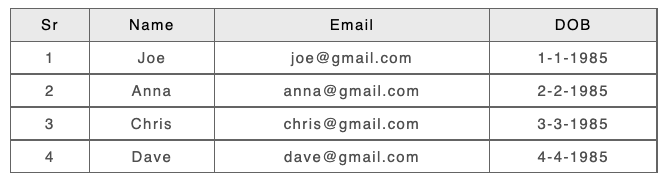
Example 2: Row added
|
Input A: |
Input B: |
|---|---|
|
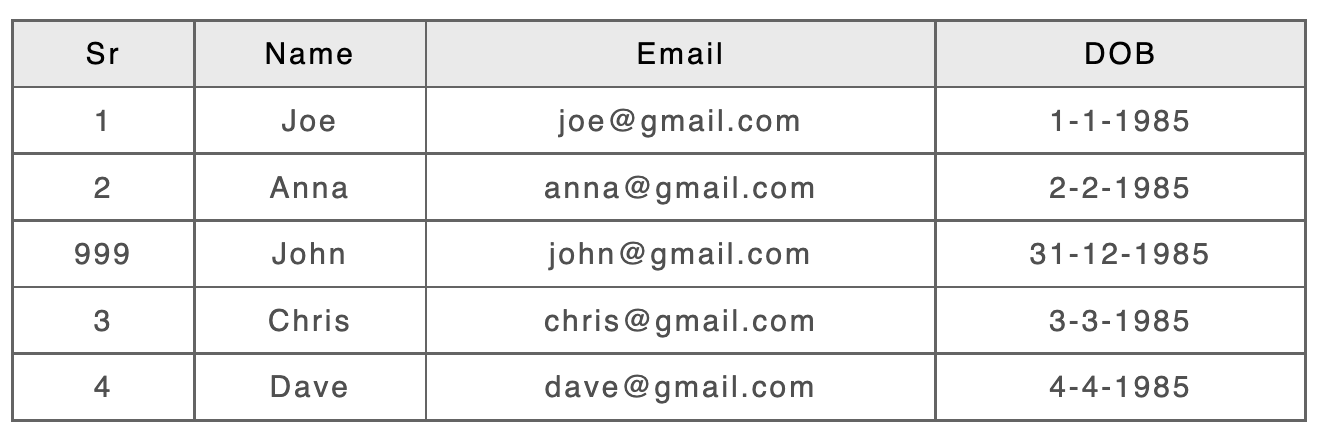
|
|
Result - CALS/HTML table Processing Enabled |
|
|
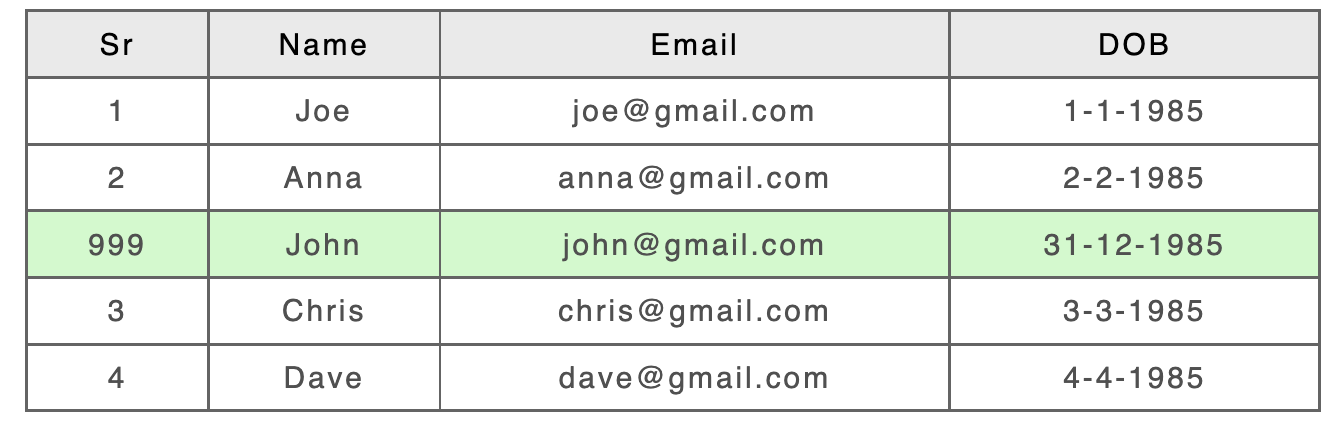
|
|
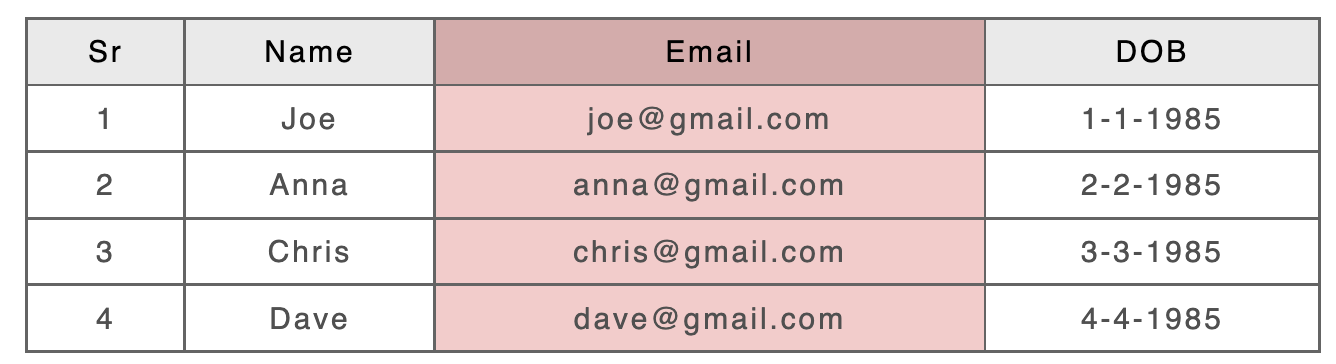
Example 3: Column deleted
|
Input A: |
Input B: |
|---|---|
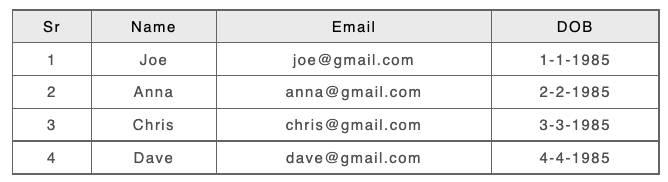
|
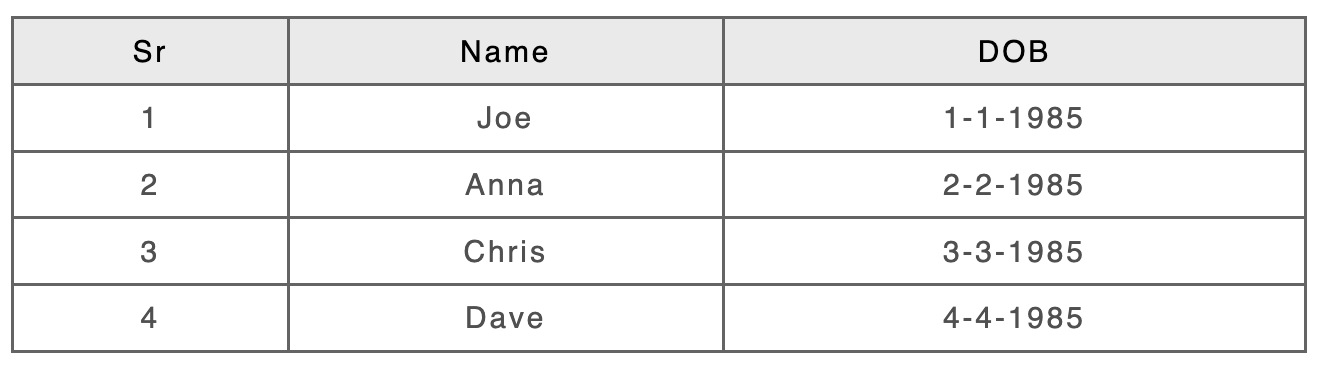
|
|
Result - CALS/HTML table Processing Enabled |
|
|
|
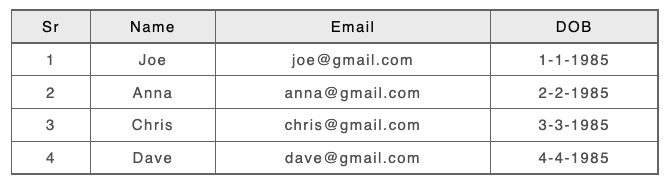
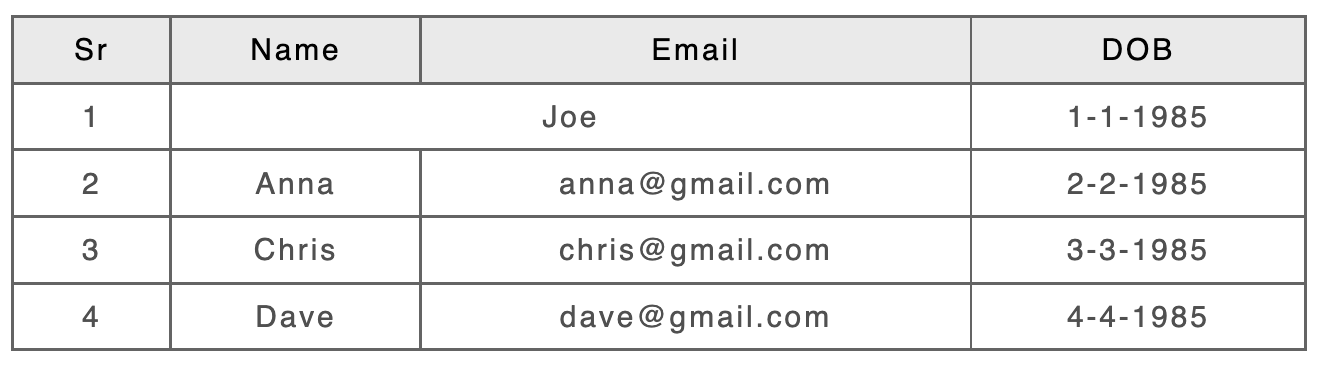
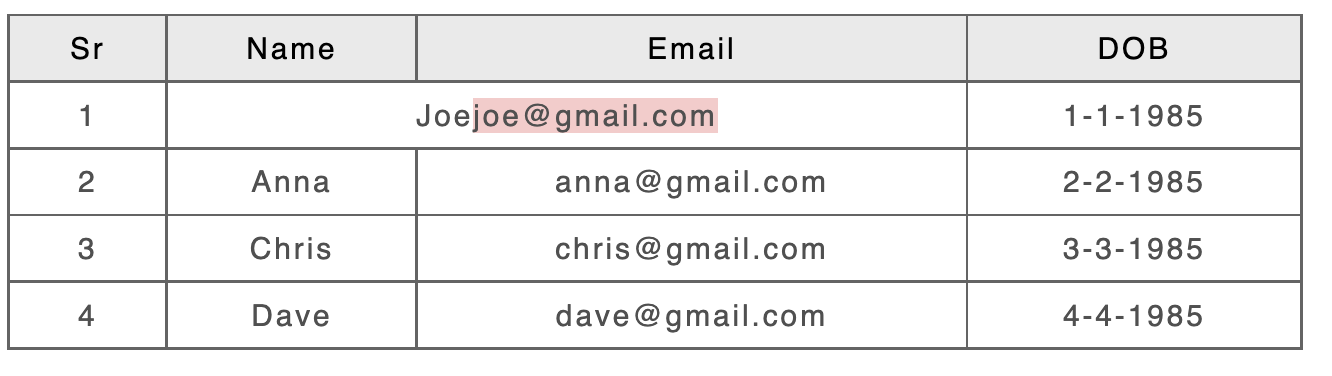
Example 4: Cell changed to span two columns (with adjacent cell deleted)
|
Input A: |
Input B: |
|---|---|
|
|
|
Result - CALS/HTML table Processing Enabled |
|
|
|
|
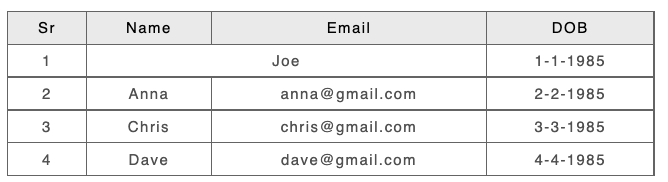
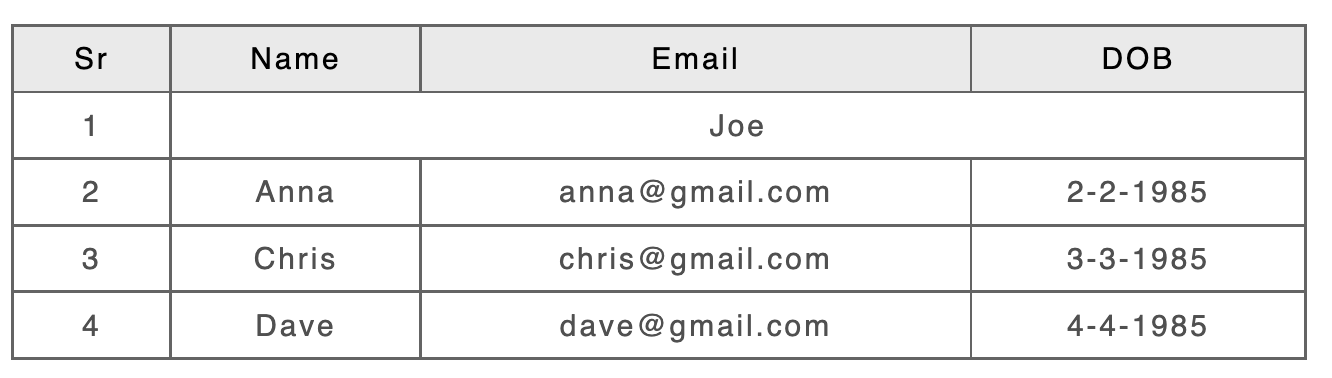
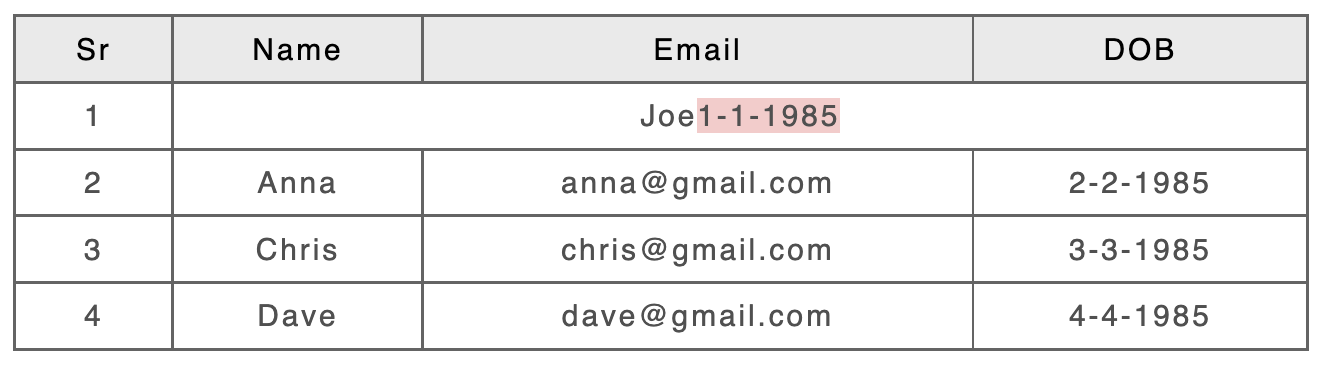
Example 5: Cell changed to span from two columns to three columns
|
Input A: |
Input B: |
|---|---|
|
|
|
Result - CALS/HTML table Processing Enabled |
|
|
|
|
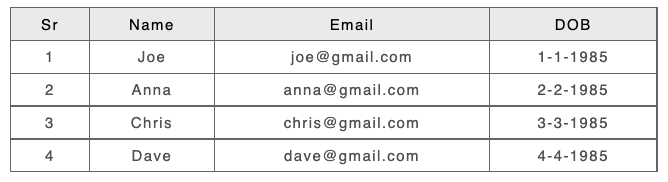
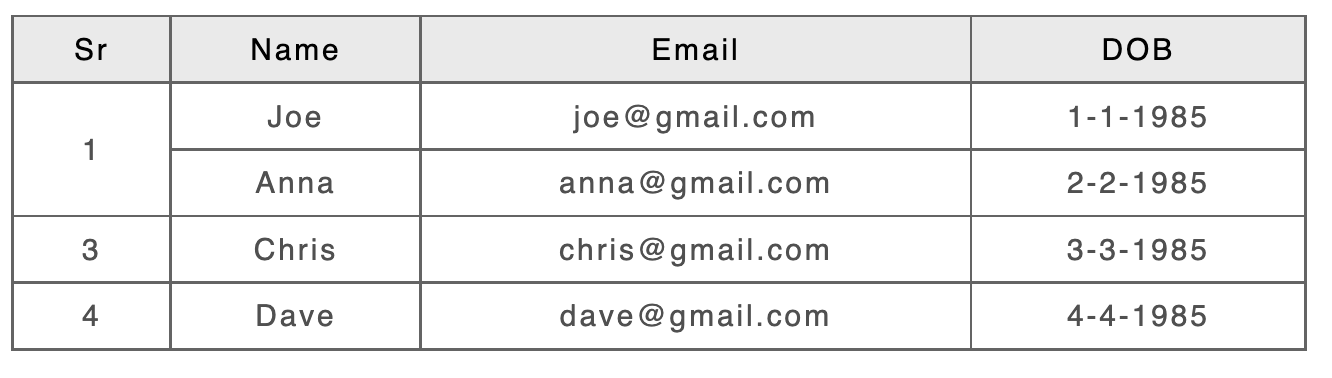
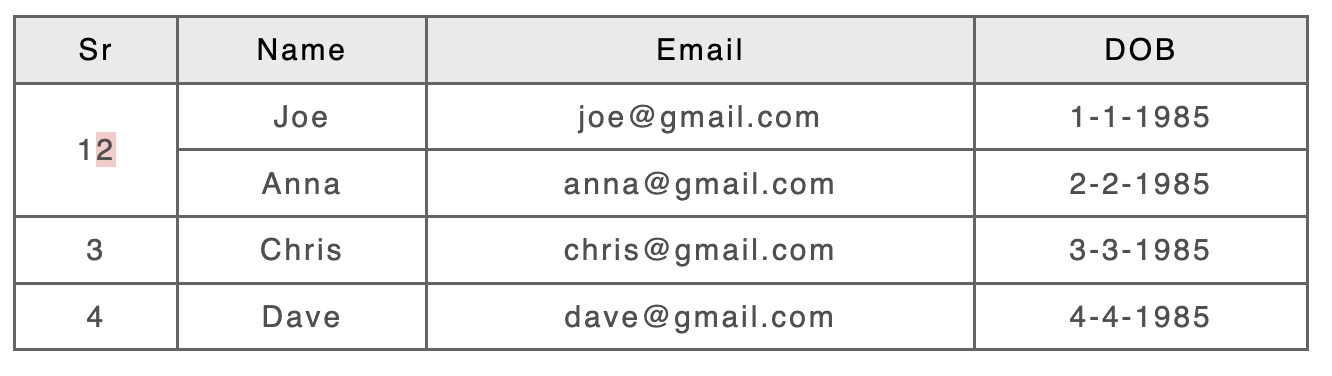
Example 6: Cell changed to span two rows (with cell in same column in following row deleted)
|
Input A: |
Input B: |
|---|---|
|
|
|
Result - CALS/HTML table Processing Enabled |
|
|
|
|
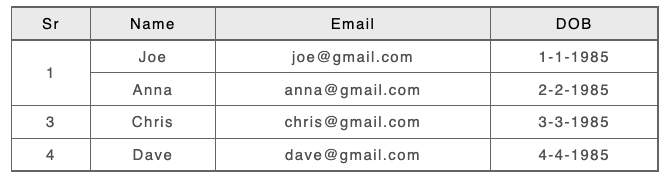
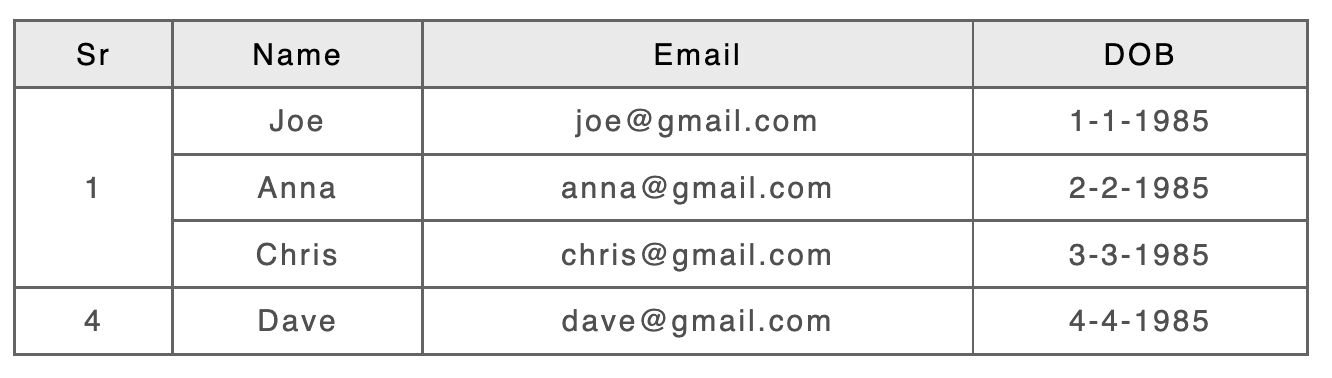
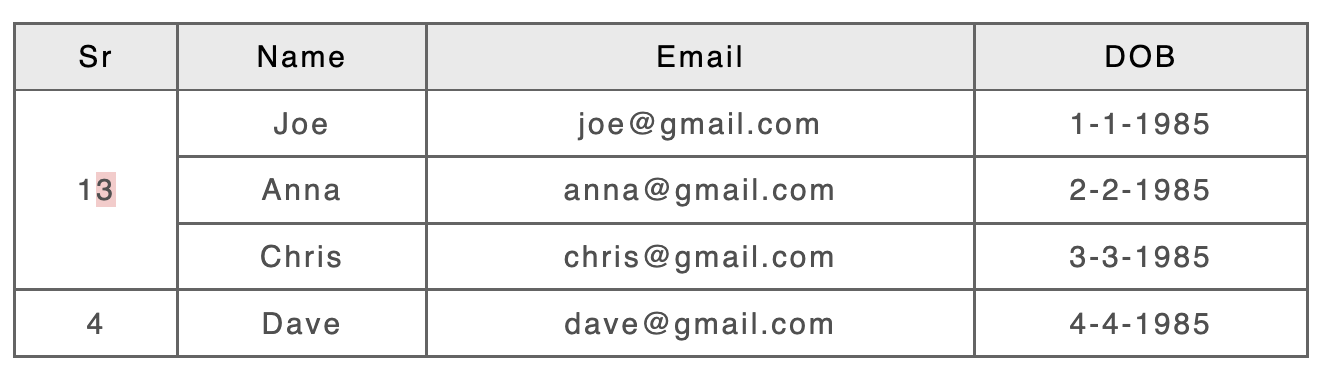
Example 7: Cell changed to span from two rows to three rows
|
Input A: |
Input B: |
|---|---|
|
|
|
Result - CALS/HTML table Processing Enabled |
|
|
|
|
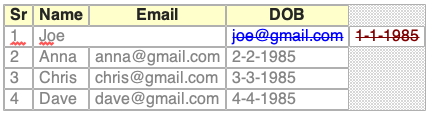
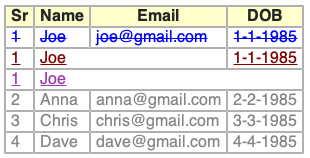
Example 8: (3-Way Merge) Cell changed to span two columns and then three columns
Note: Following example only applies to Three Way Merge.
|
Result - Table Processing Disabled |
Result - Table Processing Enabled |
|---|---|
|
|
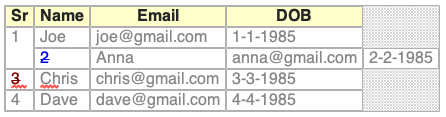
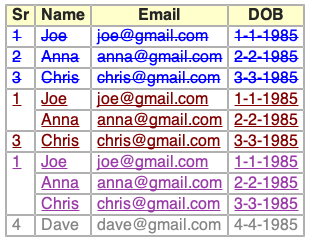
Example 9: (3-way merge) Cell changed to span two rows and then three rows
Note: Following example only applies to Three Way Merge.
|
Result - Table Processing Disabled |
Result - Table Processing Enabled |
|---|---|
|
|
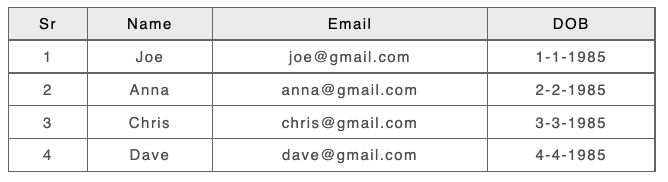
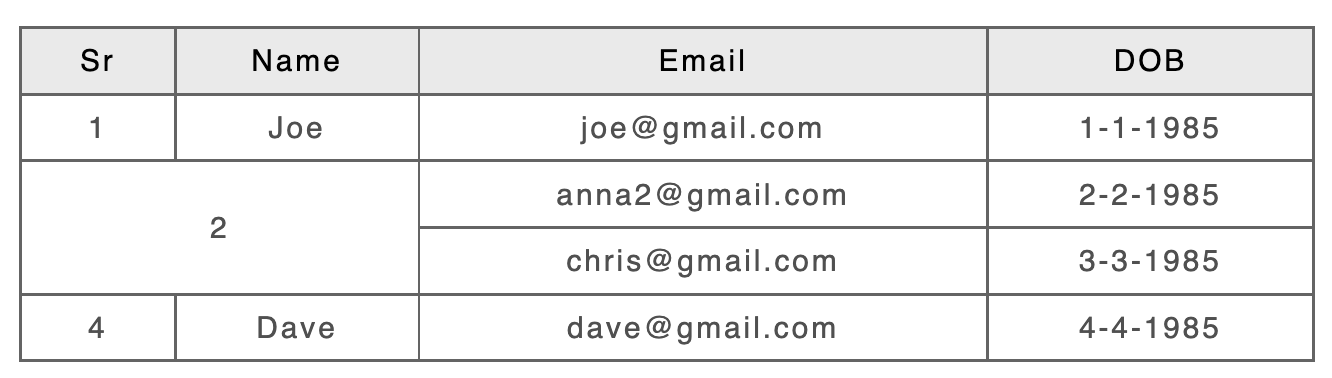
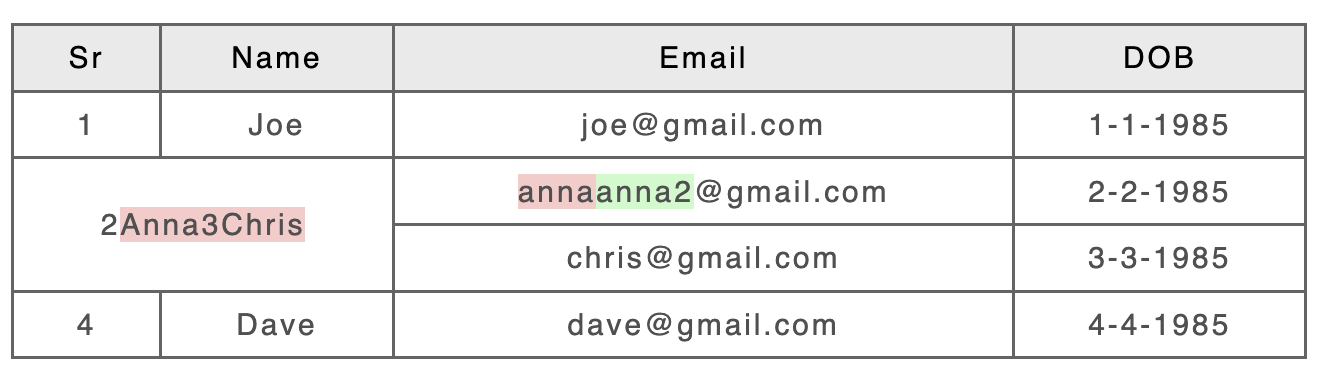
Example 10: (2d Cell) Cell changed to span two rows and two columns
|
Input A: |
Input B: |
|---|---|
|
|
|
Result - CALS/HTML table Processing Enabled |
|
|
|
|
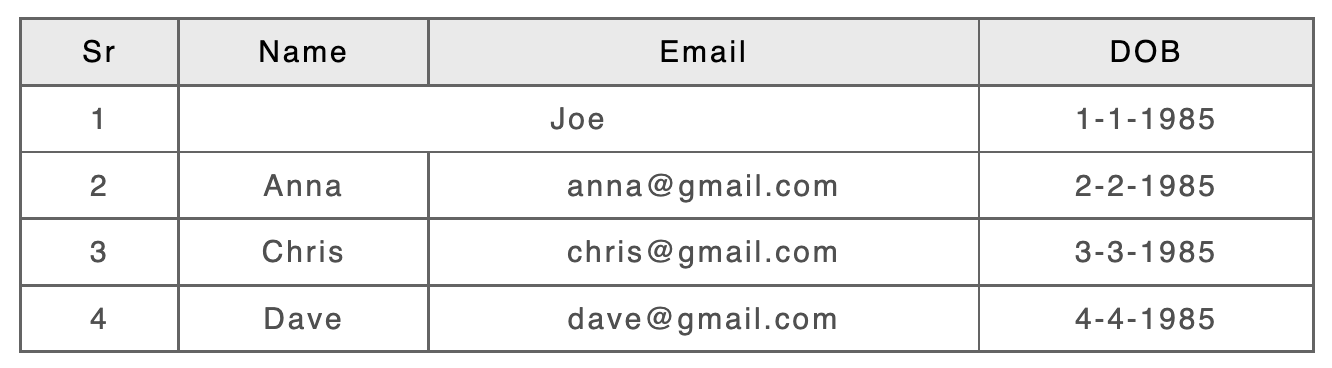
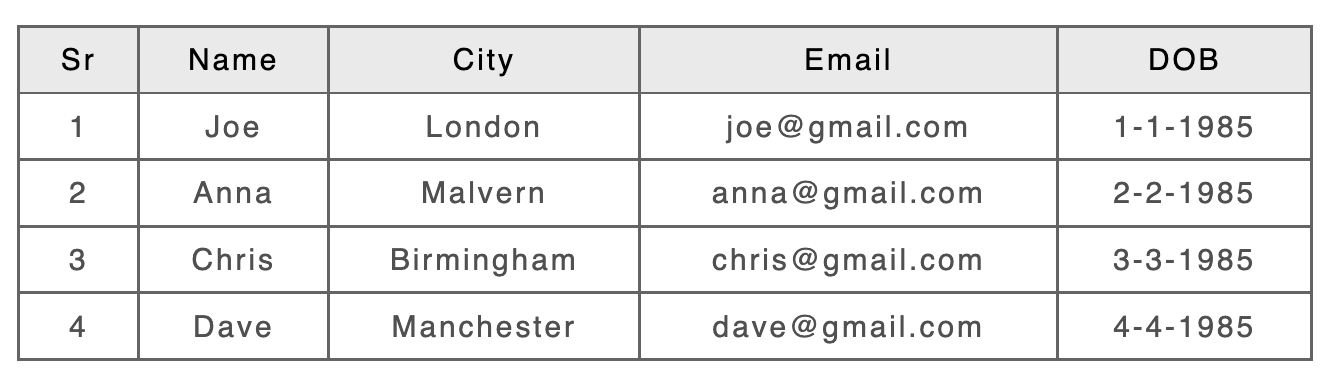
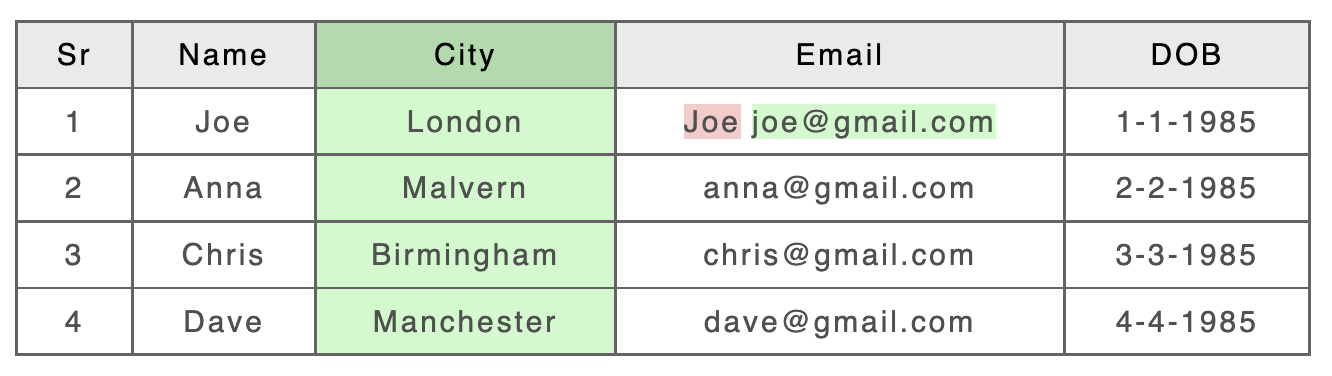
Example 11: (Conflicting Column) Added column conflicts with cell with column span of 2
|
Input A: |
Input B: |
|---|---|
|
|
|
Result - CALS/HTML table Processing Disabled |
|
|
|
|
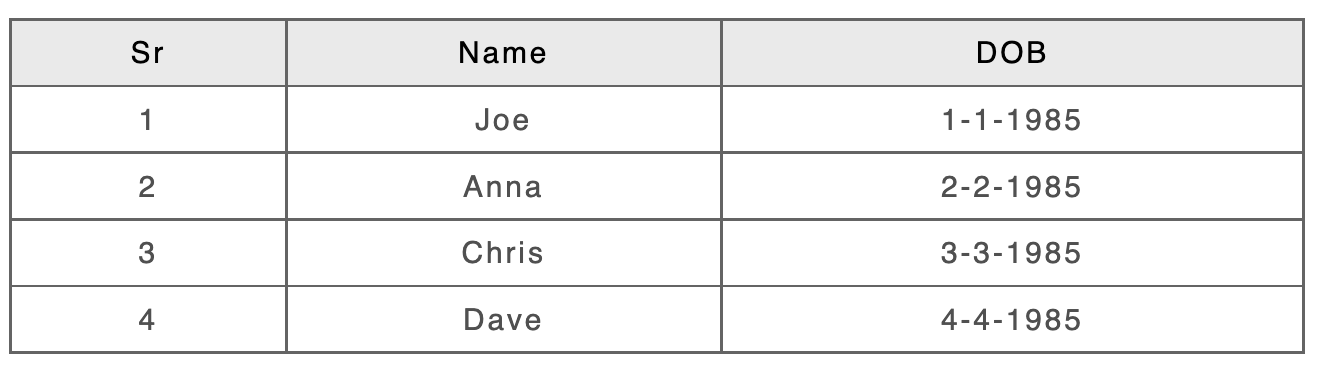
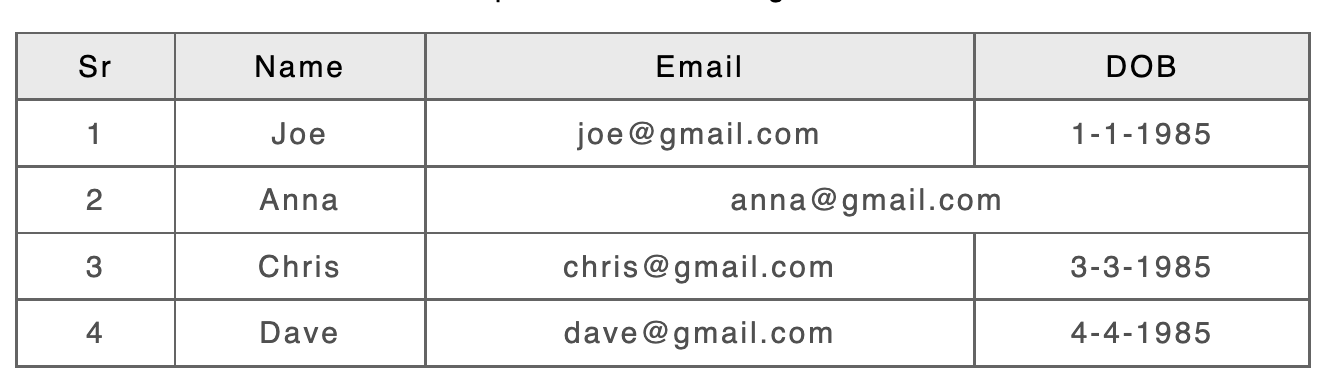
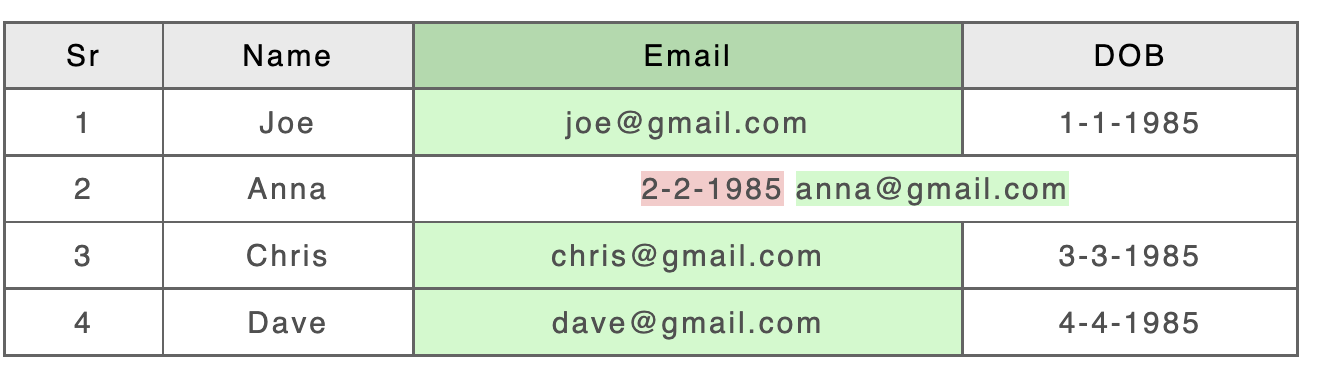
Example 12: (Conflicting Column) Added column with one cell of the new column having a column span of 2
|
Input A: |
Input B: |
|---|---|
|
|
|
Result - CALS/HTML table Processing Enabled |
|
|
|
|
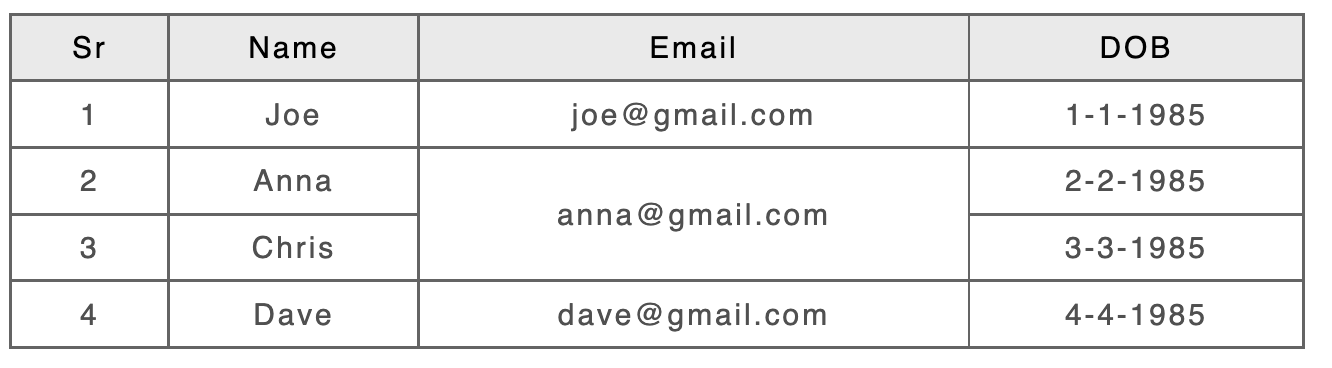
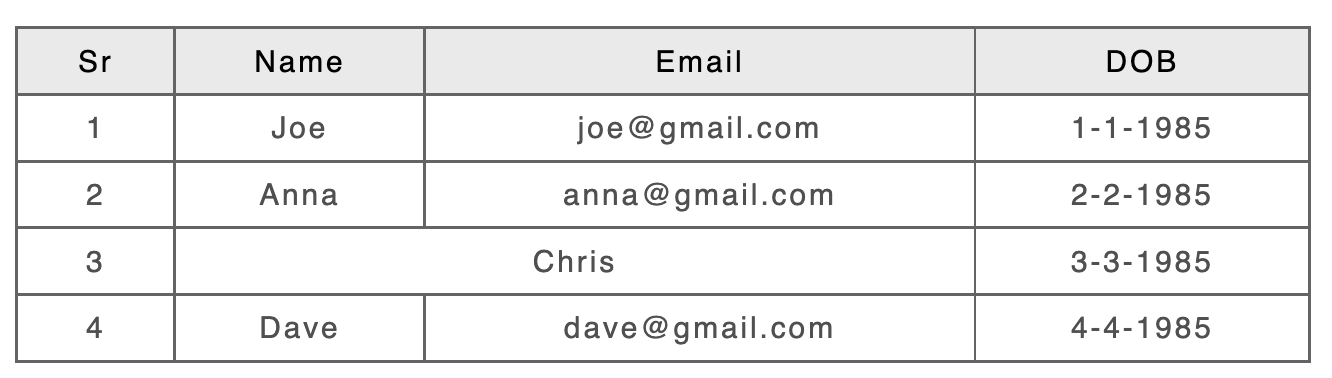
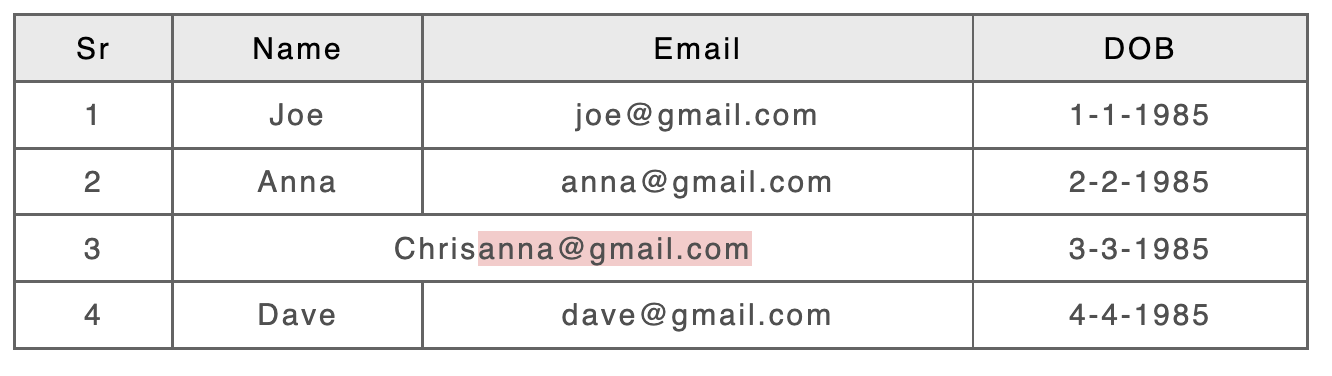
Example 13: (Conflicting Cell) Cell changed to span two columns so it overlaps with cell with row span of two in the row above
|
Input A: |
Input B: |
|---|---|
|
|
|
Result - CALS/HTML table Processing Enabled |
|
|
|
|
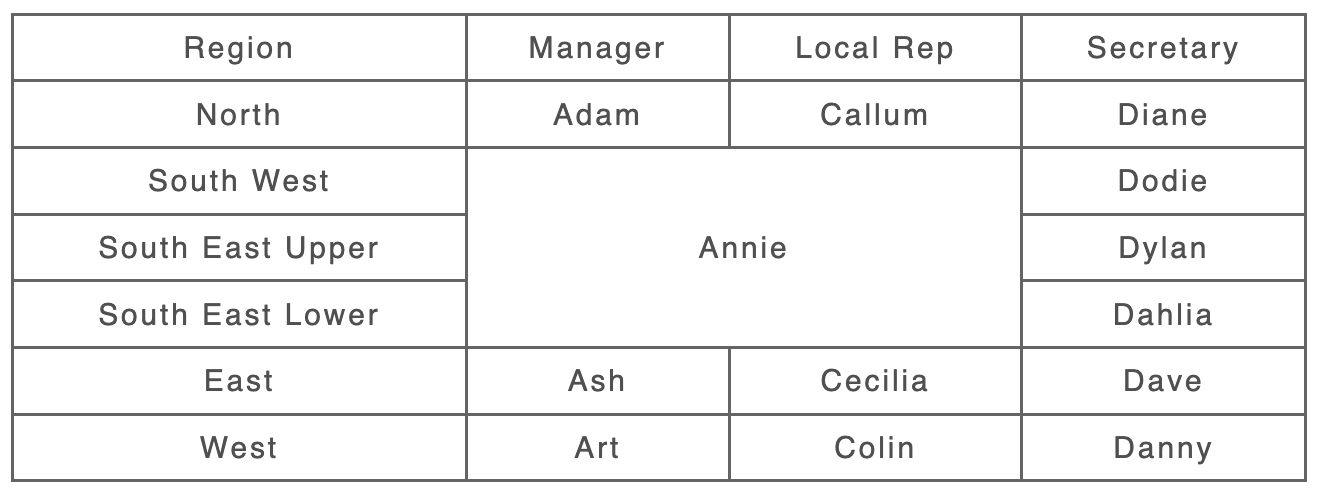
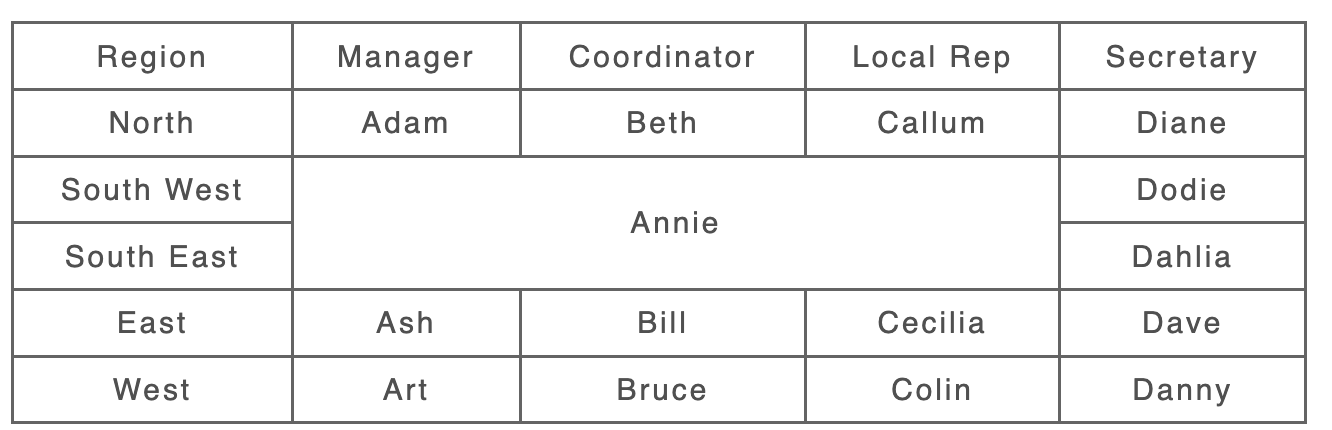
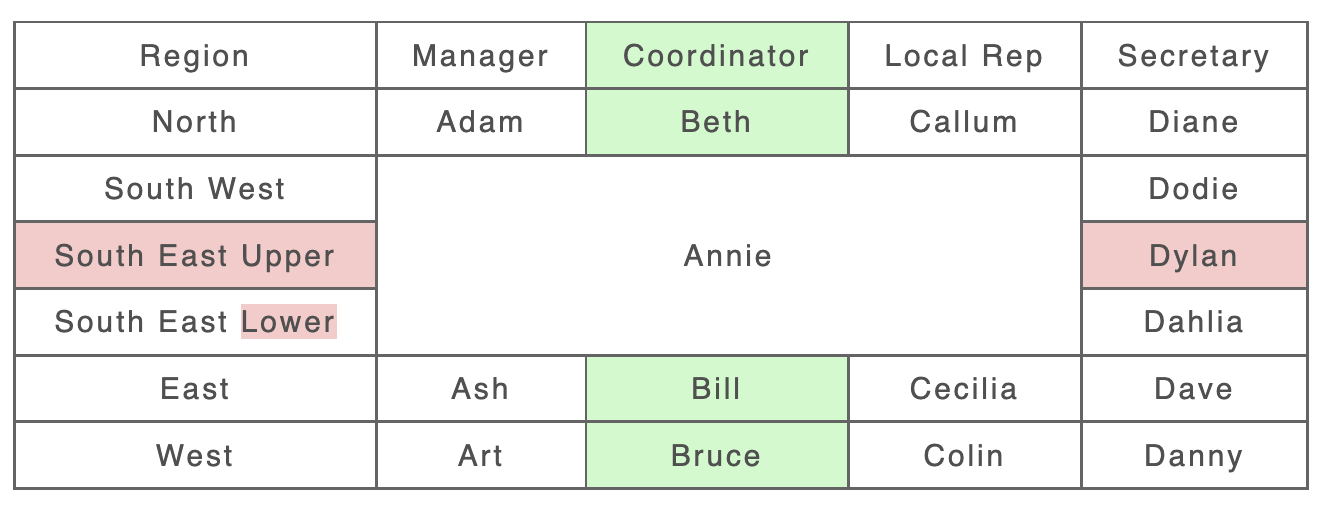
Example 14: Column inserted, Row deleted in middle of Span
|
Input A: |
Input B: |
|---|---|
|
|
|
Result - CALS/HTML table Processing Disabled |
|
|
|
|