
Authentication
Redistribution partners need to authenticate their calls to the REST service.
First, you will need to make a HTTP GET call to the /authenticate endpoint, providing a username and password which will have been given to you by DeltaXML. This endpoint uses HTTP Basic Auth.
Request
GET /authenticate

Authorization: [Base64 encoded username & password]
JWT = JSON Web Tokens, they are an open, industry standard RFC 7519 method for representing claims securely between two parties.
The response will include an Authorization header containing a JWT, e.g.:
Response
HTTP/1.1 200 OK
Authorization: Bearer [JWT]
This JWT will last for 12 hours and will need to be included in subsequent requests to other endpoints. For example, calling GET on /pipelines to get pipeline info:
Request
GET /api/xml-compare/v1/pipelines
Authorization: Bearer [JWT]
You should re-call the /authenticate endpoint to get a new token when the current one has expired.
Testing
Postman
A special collection for redistribution customers is available for testing using Postman.
To use this, copy this link: https://www.getpostman.com/collections/060df2b621454a156235
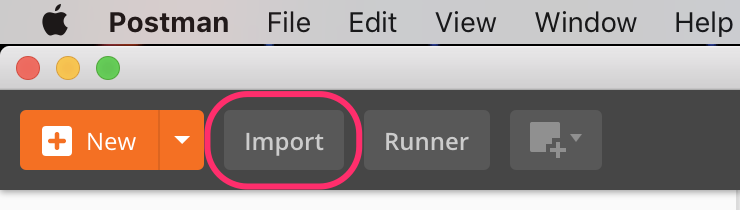
Go to Postman and press the Import button in the top left:
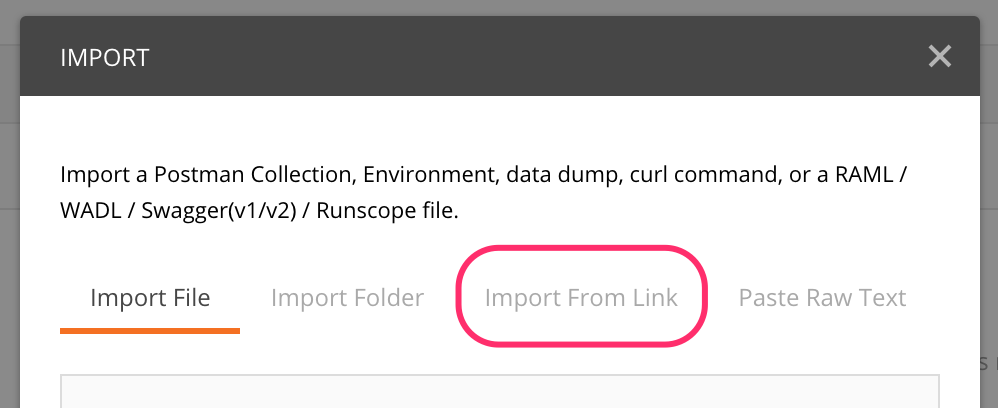
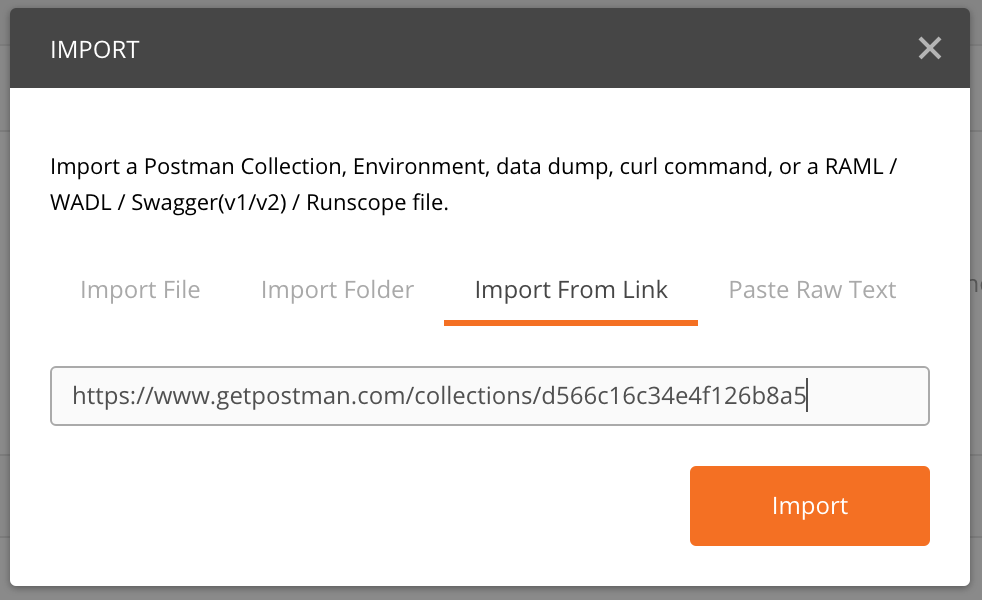
Then press "Import From Link" in the popup that appears, then follow the instructions in the box:
The collection is available from the sidebar under "Collections":
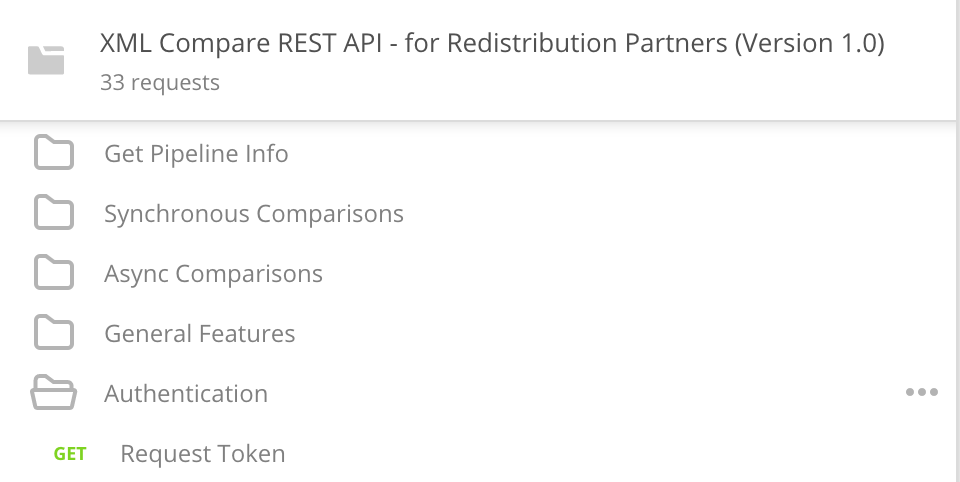
To use this Collection you will first need to use the "Request Token" request (under the folder "Authentication"). Under "Authentication" should a screen stating it is using Basic Auth.
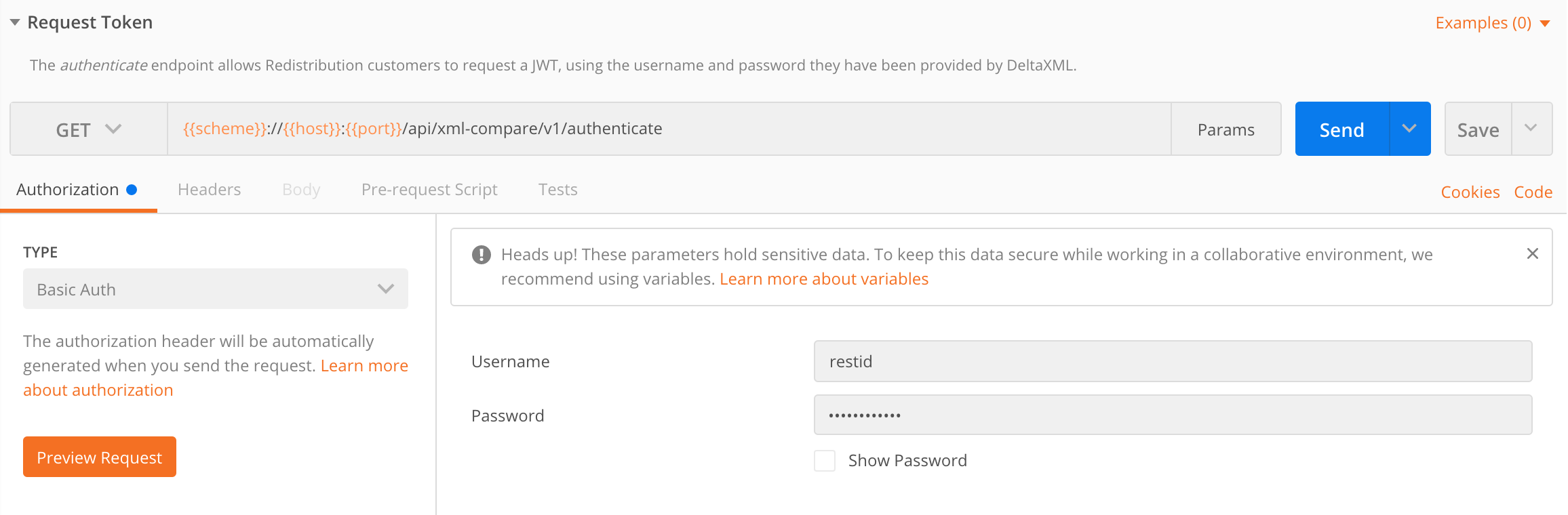
Please enter your provided username and password then hit "Send".
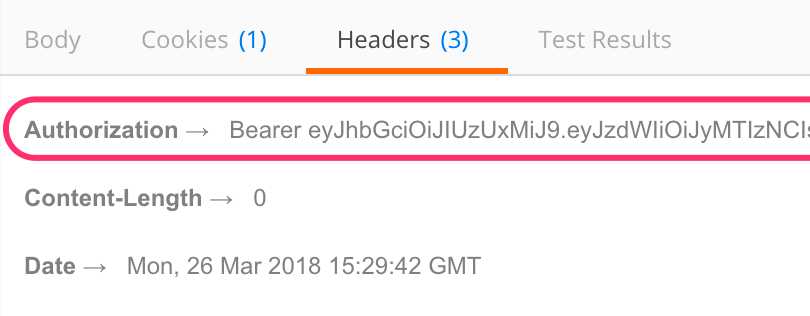
Make a copy of the JWT returned - the text after "Bearer " (under "Headers" in the Response window)
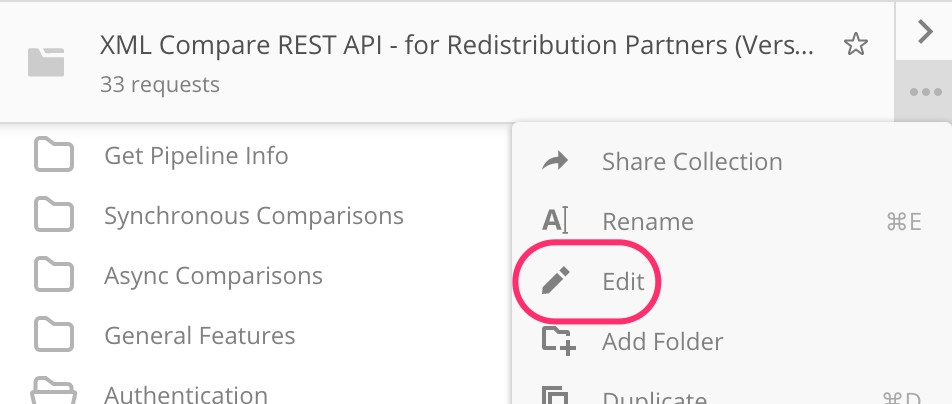
Click on the "..." ellipses on the Collection (or right-click) then press "Edit"
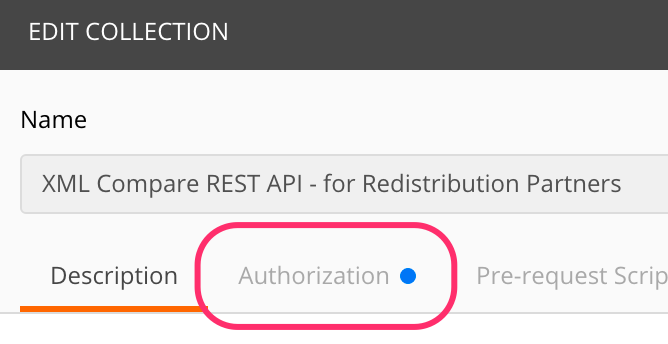
Navigate to the "Authorization" menu at the top then enter your token in the "Token" field:
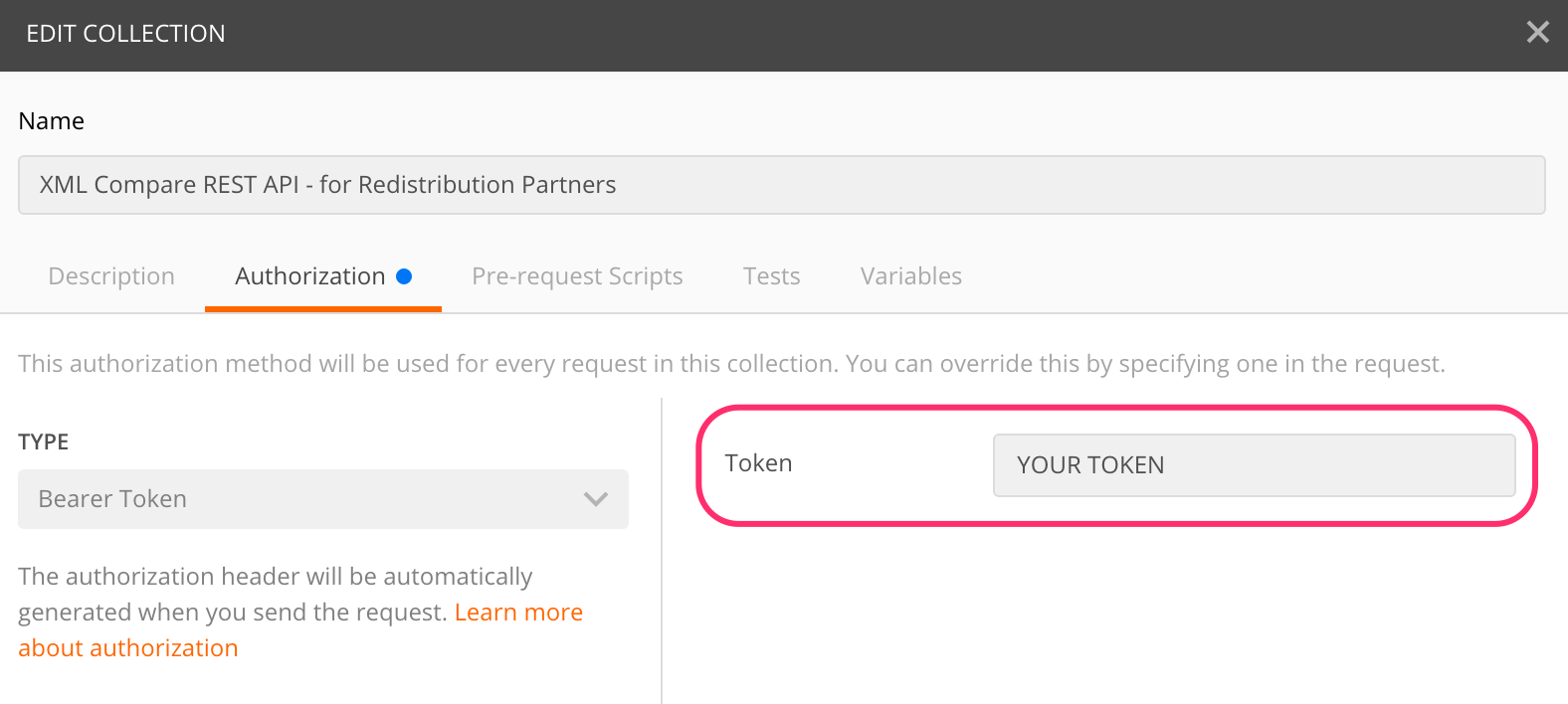
You'll need to get a new token every 12 hours, so re-follow the steps from requesting the token using the "Request Token" request.
Command Line Client
The JAR file "deltaxml-rest-client-x.y.z.jar" provides similar functionality to our standard command-line app. (Replace x.y.z with the major.minor.patch version number of your release as shown below)
To authenticate with the REST API from this client, use the parameter authenticate then provide your username and password, for example:
java -jar deltaxml-rest-client-10.0.3.jar authenticate restid password
The client will store the JWT in a file called .deltaxml-rest-client-token, and automatically use it in subsequent requests.
As with the Postman Collection, you will need to re-call authenticate every 12 hours to obtain a new token.